Proxmox VE - Création VLAN + Droit étudiant
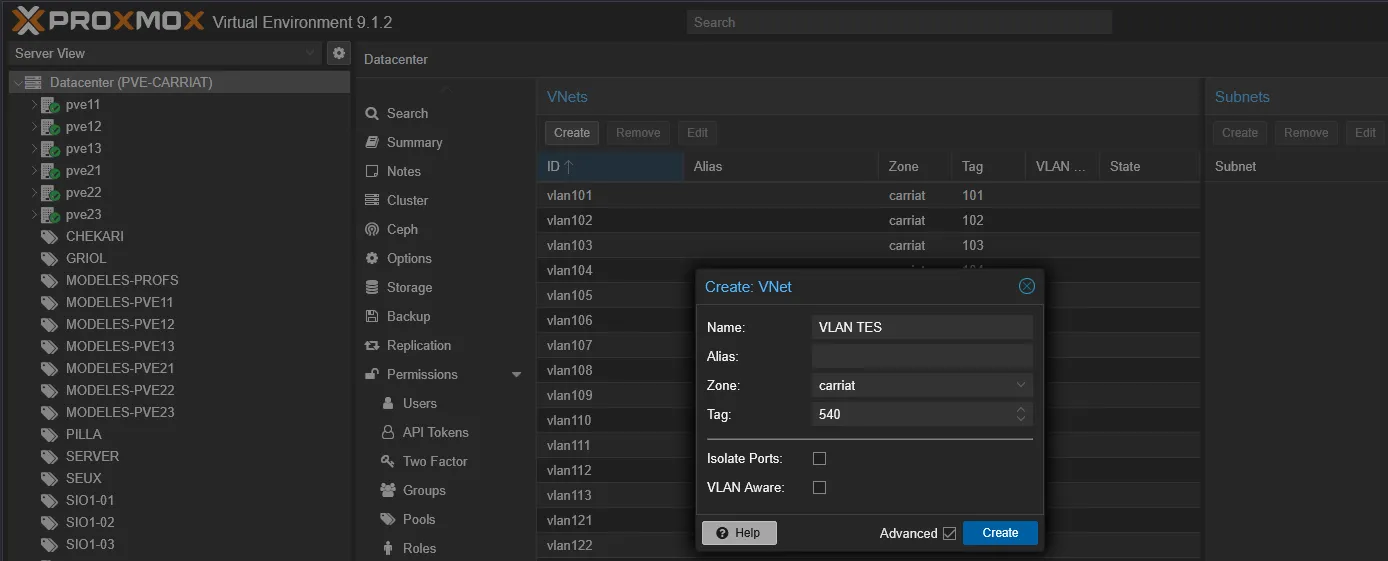
Création du VNet
Section intitulée « Création du VNet »Dans un premier temps, il faut créer le VNets
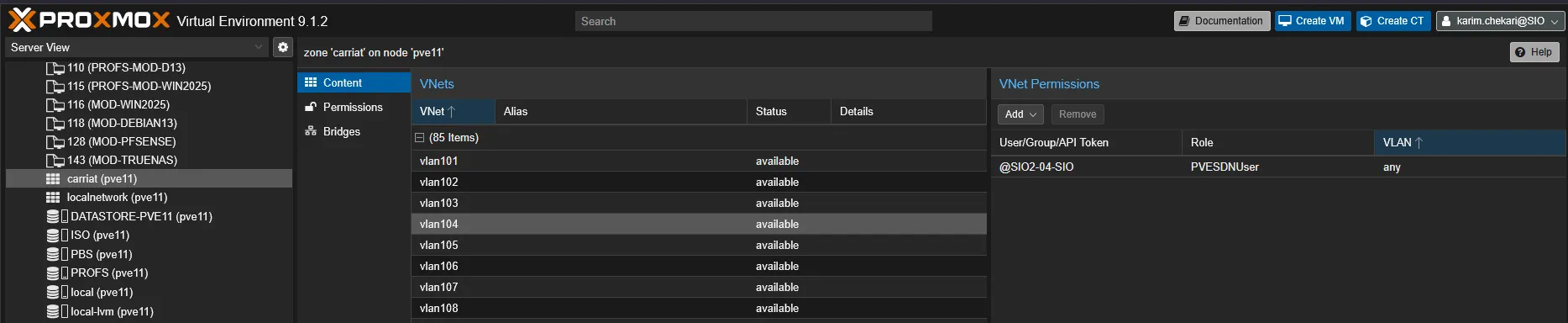
Ajout des droits
Section intitulée « Ajout des droits »Sur un serveur, dans la zone carriat
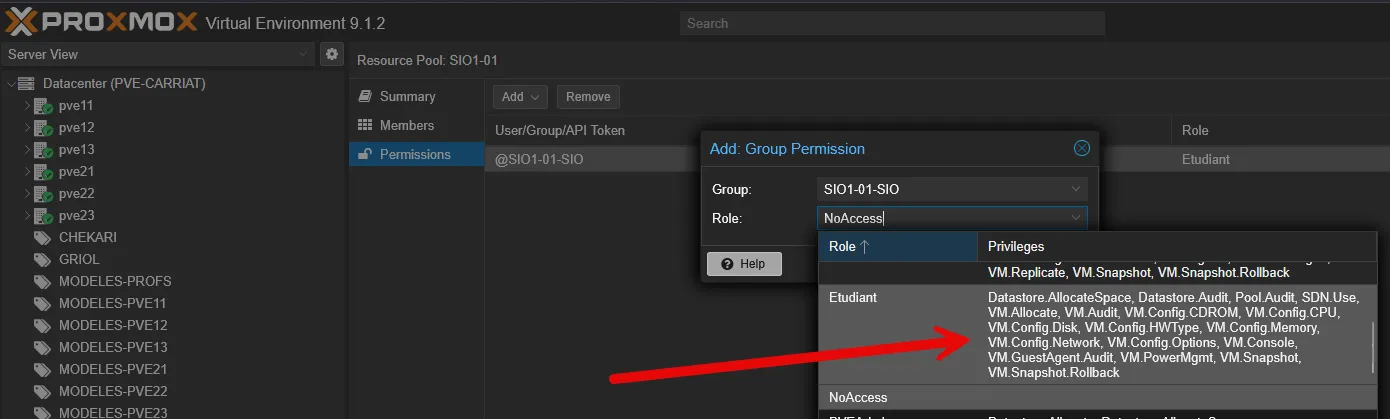
Ajout des droits avec le rôle pour le groupe AD.
Création d’un pool pour l’étudiant et mise en place des droits
Configuration de l’accès depuis le Huawei
Section intitulée « Configuration de l’accès depuis le Huawei »sysCréation du VLAN :
vlan 10description vLan ManagementAjout d’une IP sur l’interface
interface Vlanif32 ip address 172.29.32.253 255.255.255.0 dhcp select relay dhcp relay server-ip 172.29.30.1qVoir la configuration
display current-configurationSauvegarde :
<SW-CORE>saveWarning: The current configuration will be written to the device. Continue? [Y/N]:yNow saving the current configuration to the slot 2 .Info: Save the configuration successfully.Now saving the current configuration to the slot 1 ..Info: Save the configuration successfully.<SW-CORE>