Huawei - Gestion des VLANs
Création d’un VLAN
Section intitulée « Création d’un VLAN »La commande « vlan » permet de créer des VLAN (il faut être en mode de configuration).
Voir l’exemple :
<SW-CORE>sysEnter system view, return user view with return command.[SW-CORE]vlan 306[SW-CORE-vlan306]name VLAN306[SW-CORE-vlan306]q[SW-CORE]vlan 305[SW-CORE-vlan305]name VLAN305[SW-CORE-vlan305]q[SW-CORE]vlan 303[SW-CORE-vlan303]name VLAN303b[SW-CORE-vlan303]q[SW-CORE]vlan 302[SW-CORE-vlan302]name VLANIUT[SW-CORE-vlan302]q[SW-CORE]q<SW-CORE>saveWarning: The current configuration will be written to the device. Continue? [Y/N]:yNow saving the current configuration to the slot 2 .Info: Save the configuration successfully.Now saving the current configuration to the slot 1 ...Info: Save the configuration successfully.<SW-CORE>Affecter un VLAN à une interface
Section intitulée « Affecter un VLAN à une interface »Il faut aller sur l’interface, la passer en access puis affecter le VLAN. On va affecté le port 1/0/23 au vlan 306
<SW-CORE><SW-CORE>sysEnter system view, return user view with return command.[SW-CORE]inter[SW-CORE]interface GE 1/0/23[SW-CORE-GE1/0/23]port link-type access[SW-CORE-GE1/0/23]port default vlan 306[SW-CORE-GE1/0/23]q[SW-CORE]q<SW-CORE>saveWarning: The current configuration will be written to the device. Continue? [Y/N]:yNow saving the current configuration to the slot 2 .Info: Save the configuration successfully.Now saving the current configuration to the slot 1 ..Info: Save the configuration successfully.<SW-CORE>Voir les VLANs
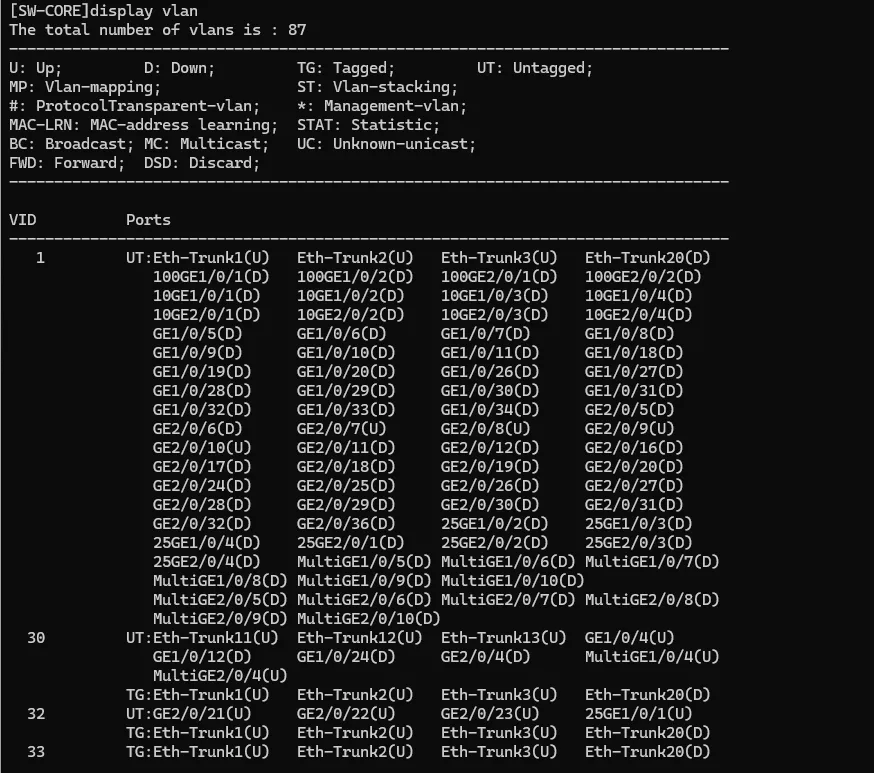
Section intitulée « Voir les VLANs »[SW-CORE]display vlan